Hours of service
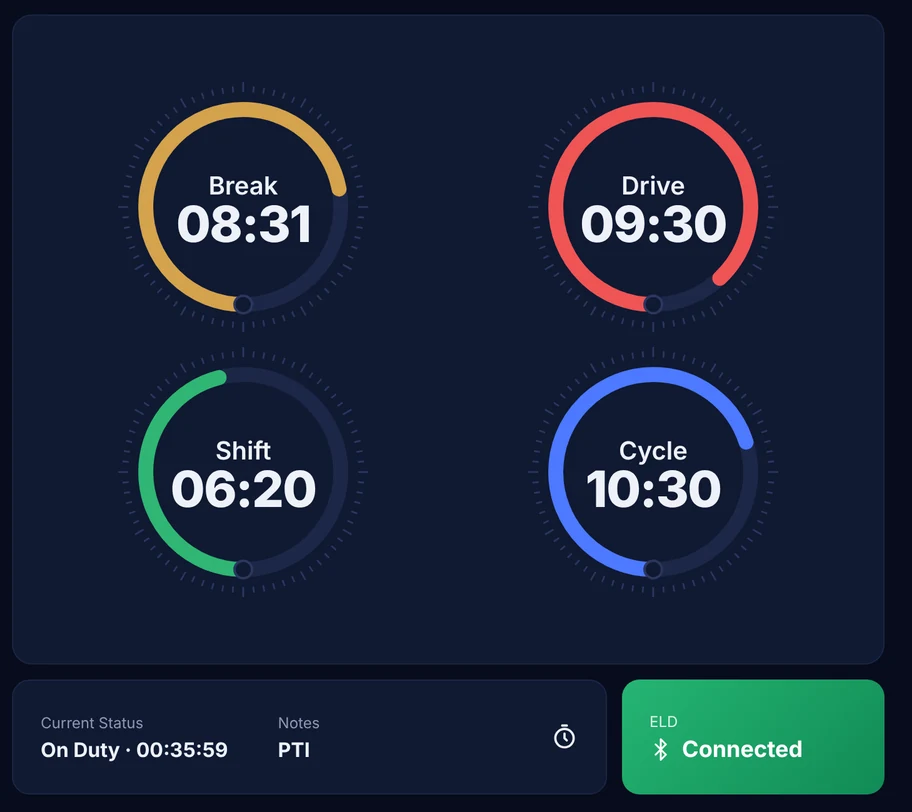
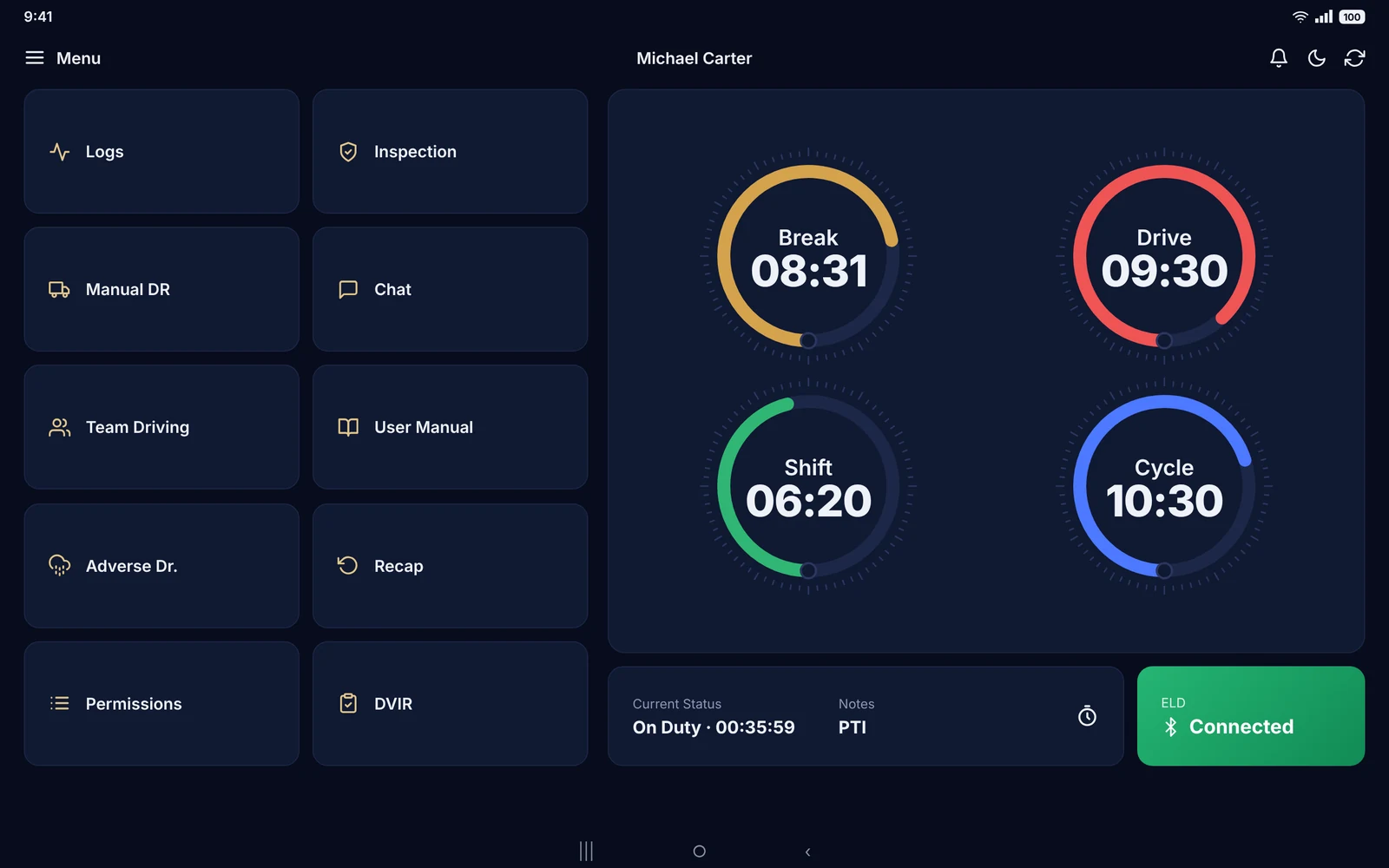
Clocks that count down on their own
Driving is recorded the moment the truck reaches 5 mph. Break, Drive, Shift and Cycle clocks show exactly what is left.

Electronic logging · Built for US fleets
Hours of service, DVIR, roadside inspections and live tracking on PT30 and IOSiX hardware, with an app made for the cab.
Why Lumos
Every hour accounted for. Every inspection ready. Lumos ELD lets drivers drive and gives the office a clear view of every log, truck and record.
Platform
Driver app
Clocks that count down on their own, duty status in one tap and logs that are always ready for the officer.
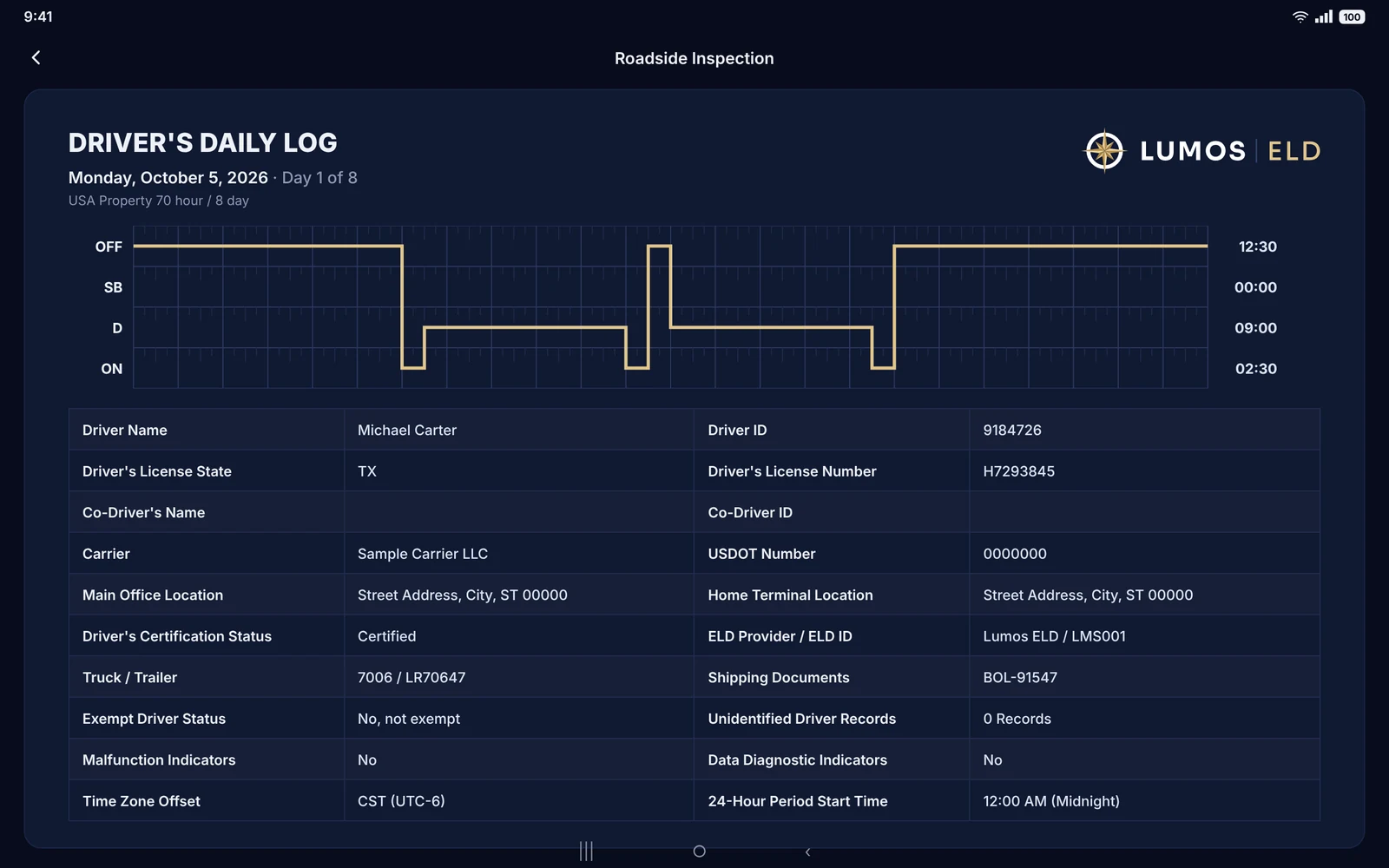
Fleet portal
Review and certify logs, assign unidentified driving, request edits and see where every truck is.
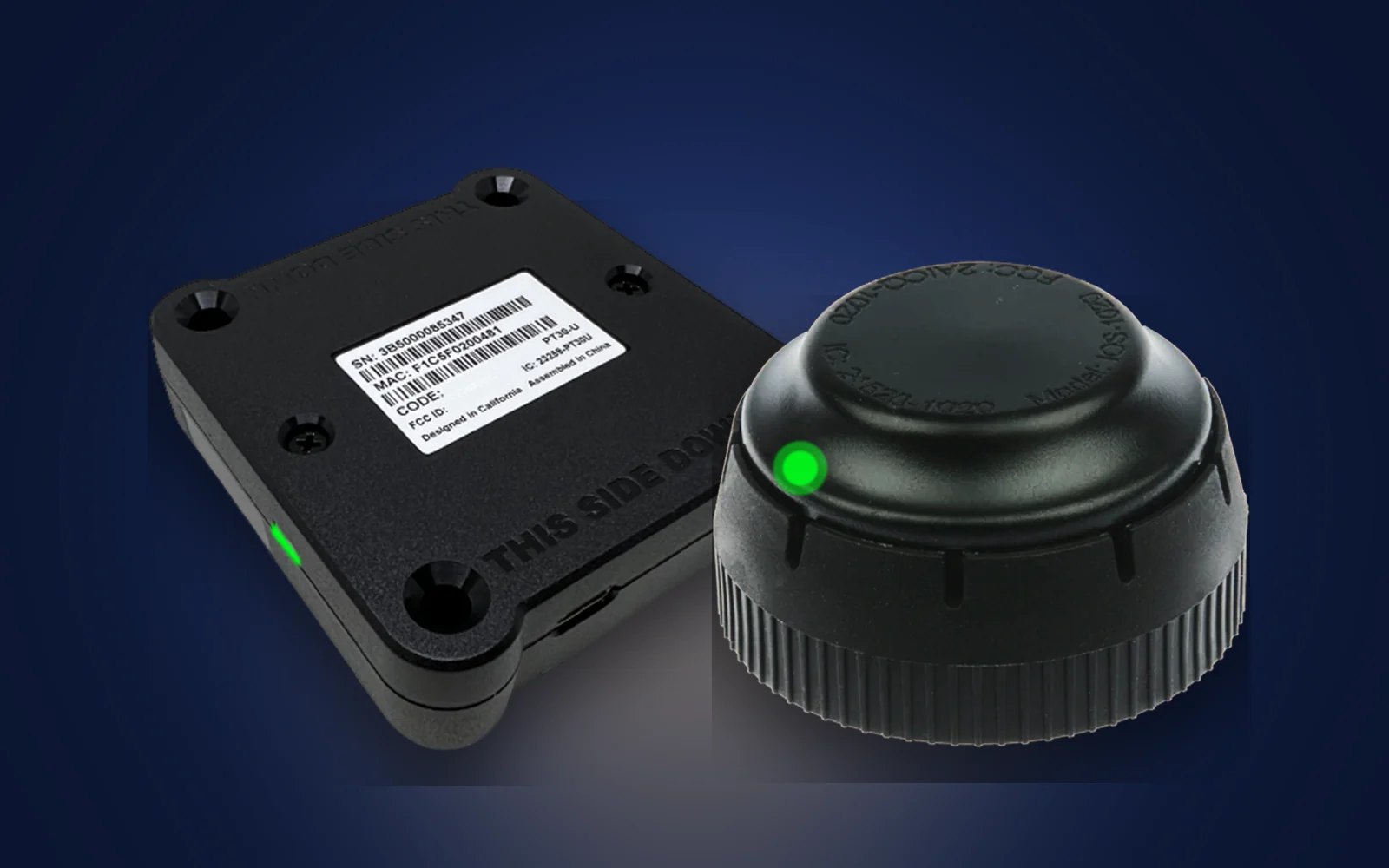
ELD hardware
Plug into the diagnostic port, pair over Bluetooth and the app takes it from there.
Features
Every screen follows the FMCSA ELD technical specifications, so drivers and dispatchers spend their time on the road, not on paperwork.
Hours of service
Driving is recorded the moment the truck reaches 5 mph. Break, Drive, Shift and Cycle clocks show exactly what is left.
Roadside inspection
24 h + 7 days
On screen for the officer, or sent to FMCSA by Web Service or Email.
Pre-trip and post-trip reports with defects, notes and signatures.
Malfunction monitoring
Edit audit trail
Live locations, trip history and route playback.
Miles by jurisdiction, ready for quarterly filing.
Co-driver logs and seamless driver switching.
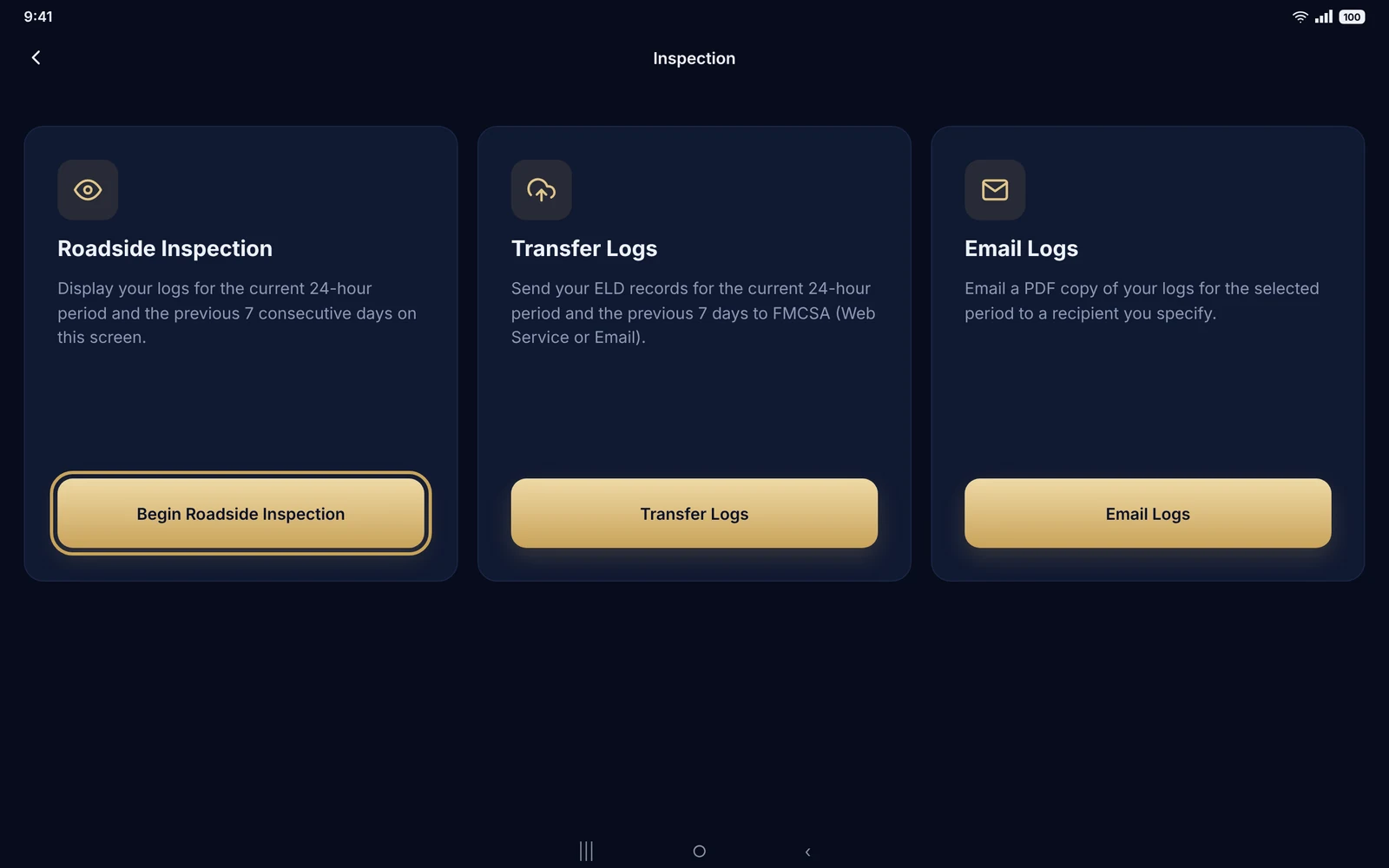
Roadside inspections
Every vehicle also carries the in-cab instruction sheet for data transfer and malfunctions required by 49 CFR 395.22(h).
Hardware
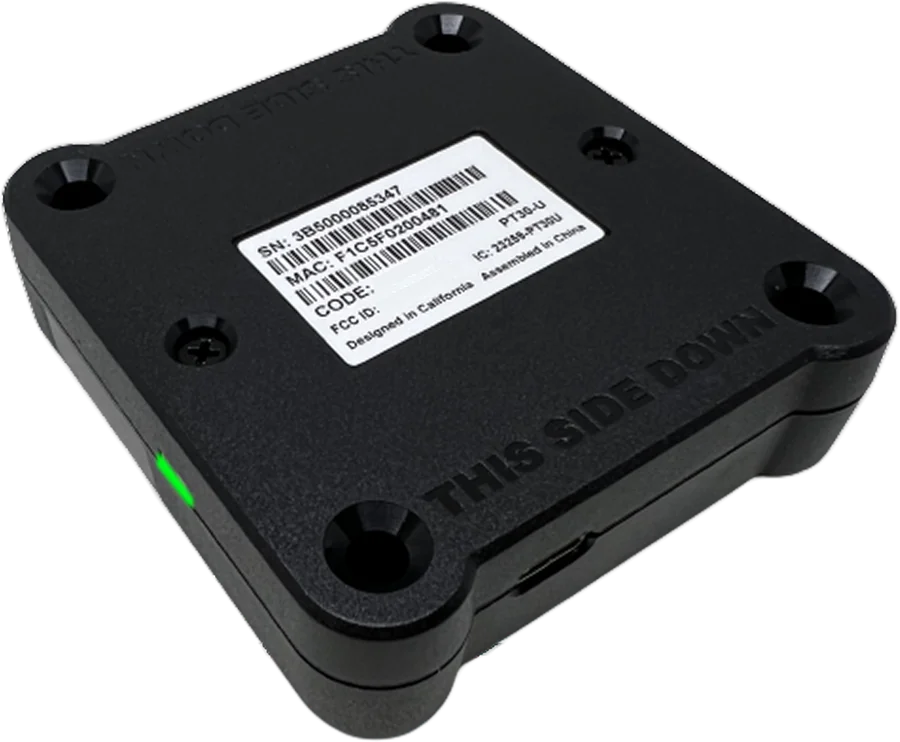
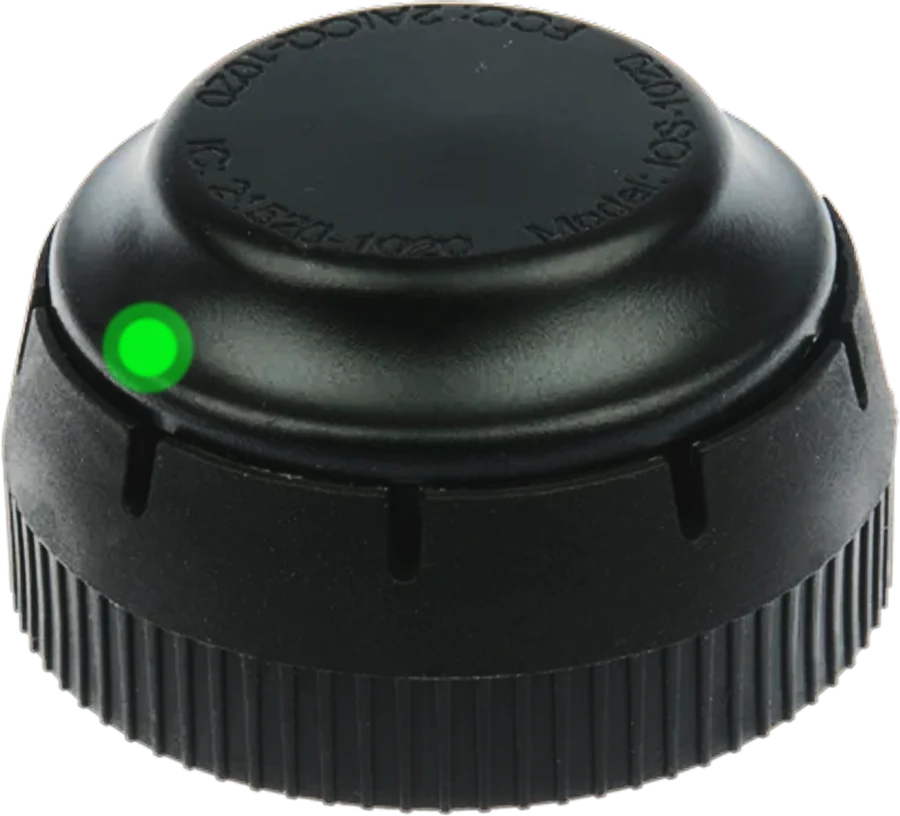
Both plug into the truck’s diagnostic port and pair with the driver app over Bluetooth.
Pacific Track
IOSiX
The North Star for
fleet compliance.
Built to FMCSA ELD technical specifications · 49 CFR Part 395, Subpart B
Getting started
Connect the PT30 or IOSiX to the truck’s diagnostic port.
Open Connect ELD and pick your device. The green Connected tile confirms pairing.
Hours are recorded automatically. Drivers certify logs; the office reviews them in the portal.
The Pacific Track PT30 and the IOSiX ELD. Both connect to the vehicle’s diagnostic port and pair with the driver app over Bluetooth.
Yes. Lumos ELD is built to the FMCSA ELD technical specifications in 49 CFR Part 395, Subpart B: automatic recording, driver certification, edit history, malfunction monitoring and roadside data transfer by Web Service and Email.
Open Inspection and tap Begin Roadside Inspection to show today and the previous 7 days. To send the records, tap Transfer Logs and choose Web Service or Email, as the officer requests.
The driver notes the malfunction, tells the carrier in writing within 24 hours and keeps paper logs until the device is fixed. The carrier has 8 days to repair or replace it (49 CFR 395.34).
A carrier can propose an edit with a reason. It takes effect only after the driver approves it, and the original record stays in the history.
At least 6 months, as 49 CFR 395.8(k) requires. Carriers can export their data at any time.
Contact
Tell us about your trucks and routes. We’ll walk you through the app, the portal and the hardware.